
Save time every day on repetitive typing.
Get your usual emails, replies, and long phrases written in a few keystrokes. Save them in Tapiri, give them a shortcut, and skip typing them out next time.
No credit card required. Works on all your Mac apps.
Type a short shortcut and Tapiri replaces it with your saved text. Choose an app to see an example.
The updated designs are ready for your review.
Delivery details
Weekly team meeting
followup → Expanded by Tapiri1 / 6Gmail: followup expands to Hi Alex, Just following up on my last email. Let me know if you have any questions or need anything else from me. Thanks!
How many times have you typed the same reply?
Or searched your sent emails just to copy it? With Tapiri, save that reply once and have it ready whenever the question comes up again.
Without Tapiri
- ✕“I’ve answered this question three times today.”
- ✕“Where’s that email with the instructions?”
- ✕“Same message, different person. Here we go again.”
- ✕“My address again? I’ve filled this in so many times.”
- ✕"Let me find my booking link. Again.”
- ✕Spend minutes typing the same reply from scratch
With Tapiri
- ✓Your answer’s already written. Use it again and move on.
- ✓Keep those instructions ready for the next person who asks.
- ✓Fill in their name and details. The rest is already done.
- ✓Save it once. Fill it in without typing the whole thing again.
- ✓Have your booking link ready whenever someone wants to meet.
- ✓Have the whole reply ready in under a second.
Never type the same thing twice.
Everything you need to write faster.
Instant Text Expansion
Type a 3 or 4-letter abbreviation like cal or addr, and Tapiri instantly replaces it with your full text, formatted links, or multi-paragraph templates.
Fill-in Templates
Create reusable emails with custom placeholders. Tapiri prompts you to fill in client names, dates, or prices, then drops in a perfectly tailored message.
Dynamic Dates & Times
Automatically insert today’s date, the current time, or future deadlines (e.g. +7 days) in your preferred format without checking the calendar.
Quick-Search Palette
Forgot your shortcut keyword? Hit a global hotkey to search your entire snippet library right where you’re typing and insert it with Enter.
Rich Text & Links
Don't settle for plain text. Keep bold fonts, bulleted lists, hyperlinked text, and even image logos formatted and ready to paste into any email or document.
100% Private & Local-First
Tapiri runs entirely on your Mac. Zero keystroke logging, zero cloud tracking, and works completely offline. Your text stays on your computer.
Who Tapiri is for
Freelancers & Business Owners
The introduction, the quote, the follow-up. Get the routine messages done and get back to the work you’re paid for.
- ✓Answer new enquiries without starting over
- ✓Send your booking and payment details
- ✓Reuse project updates and follow-ups
Professionals
Another introduction, another follow-up, another request for the same details. Get the everyday replies done and get back to your work.
- ✓Answer familiar questions without rewriting the reply
- ✓Personalize messages with names and relevant details
- ✓Share instructions without digging through old emails
Writers & Editors
Save your keystrokes for words that actually matter. Turn repeated phrases, style-guide rules, and recurring structures into muscle memory.
- ✓Instant character tags, dialogue formatting, and quote templates
- ✓Reuse standard outlines and structural blocks across any writing app
- ✓Works in Notion, Google Docs, Apple Notes
Customer support
You answer the same 20 questions all day. Tapiri turns repetitive ticket responses into instant replies.
- ✓Reply to common questions faster
- ✓Personalize names and order details
- ✓Reuse instructions without hunting through tickets
Engineers
Stop retyping repetitive boilerplate, shell commands, SQL queries, and Git workflows across your terminal and IDE.
- ✓Reusable boilerplate snippets for Cursor, VS Code, and terminal
- ✓Instant Git commands, Docker scripts, and environment configs
- ✓Standard PR descriptions, bug report templates, and checklists
Anyone who writes the same things every day
Your address. Your signature. That reply you could write in your sleep. Give your fingers a break.
- ✓Fill in everyday details faster
- ✓Keep frequently shared links handy
- ✓Stop typing familiar paragraphs from scratch
Pricing
Unlimited Snippets·Works Everywhere·Fill-in Templates·Dynamic Dates & Times·Quick Search·Rich Text & Images·100% Private & Local·Folder & Tag Organization·Use on up to 3 Macs·100% Offline — No Internet Needed·All Future Updates Included
Tapiri Saves You
Your saved typing time could be worth
About 18.1 hours of typing avoided each month.
About 148 seconds saved per expansion, multiplied by your daily use and 22 workdays.
How we estimate your savings
We assume 40 words per minute when typing manually and 2 seconds to type a shortcut and expand it—not two seconds for expansion alone. Monthly hours saved = (typing time per snippet − shortcut time) × daily expansions × 22 workdays ÷ 3,600. We multiply those hours by your hourly rate to estimate their value. This estimates repeated typing avoided; creating snippets and editing or filling in templates are not included. Actual savings vary.
Save it once. Skip the typing next time.
Pick a reply you send often, give it a shortcut, and let Tapiri fill it in next time you need it. Gmail, Slack, Notion, Word, or any app on your Mac. Same simple steps everywhere.
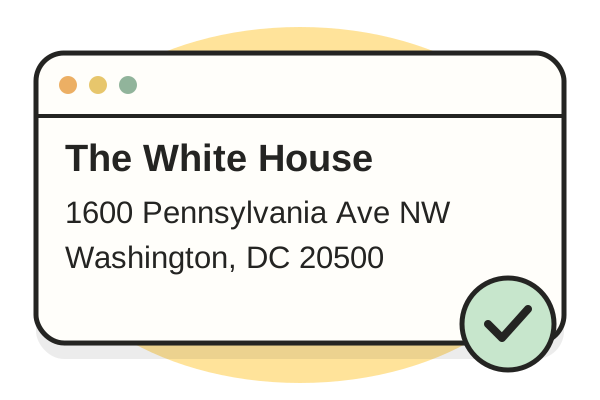
Add your repetitive word
Paste in the email reply, link, template or code snippet you find yourself typing over and over. Keep the wording exactly how you like it.
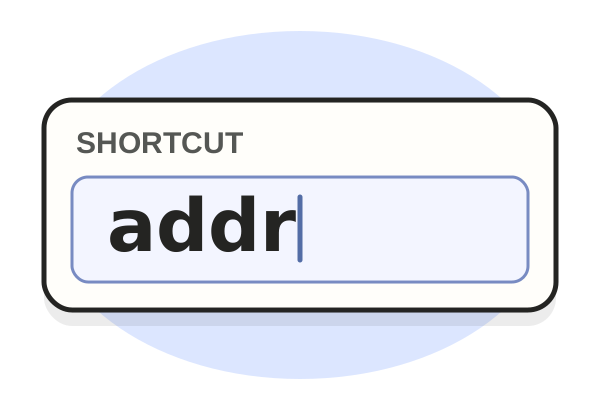
Give it a trigger
Give it a short trigger word or abbreviation that’s easy to remember
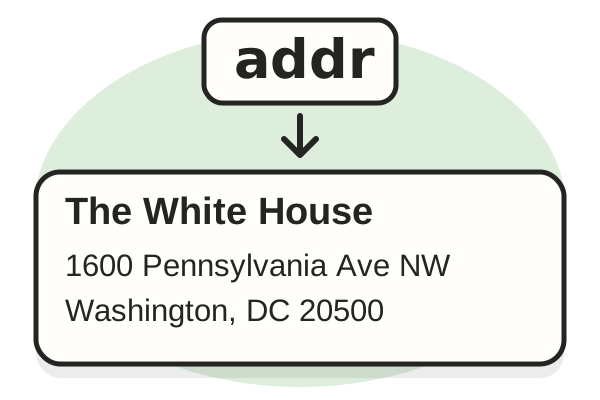
Type and watch it expand
Type your trigger in any app or website. Tapiri replaces it with your full text the millisecond you finish.

Still not sure Tapiri is right for you?
Don't take our word for it. Ask your favorite AI for an independent assessment.
📋 Prompt copied to your clipboard! Just paste it in Gemini.
Frequently Asked Questions
What can I use Tapiri for?
Anything you’re tired of typing again: email replies, addresses, booking links, introductions, or instructions. Save the text, give it a shortcut, and use it whenever you need it.
Does it work across all my apps?
Yes. Tapiri works system-wide. Whether you're typing in Gmail, Slack, Apple Mail, Google Docs, Notion, WhatsApp, VS Code, or any browser, your snippets expand anywhere you have a cursor.
Does Tapiri work offline?
Yes, completely. Because Tapiri runs locally on your device, it works at full speed whether you're on an airplane, off the grid, or have an unstable internet connection.
What if I forget the shortcut for a snippet?
You don't need to memorize anything. Hit your quick-search hotkey to bring up the Tapiri search bar right where you're typing, search for the snippet by name or keyword, and press Enter to insert it.
Is Tapiri safe? Does it track or store my keystrokes?
Your privacy is absolute. Tapiri runs 100% locally on your machine. We do not log your keystrokes, we never store what you type, and your snippets are never uploaded to the cloud or shared with third parties. What you write stays strictly on your computer.
Can I use Tapiri on multiple Macs?
Yes. One personal license lets you activate Tapiri on up to 3 Macs for your own use. To switch devices when all three slots are in use, deactivate Tapiri on one Mac through its license settings, then activate it on the new Mac.
Can I try it before paying?
You can try Tapiri free for 7 days with full access to all features. Paid plans are backed by a no-questions-asked 30-day money-back guarantee. If Tapiri doesn't save you hours of typing, just let us know for a full refund.
Will I lose my snippets if I stop paying?
No. You can still view, edit, copy, and export your saved text. Automatic expansion and other paid features stop when your access ends.
Ready to stop typing the same thing every day?
Start with one reply you’re tired of writing. Save it in Tapiri, give it a shortcut, and let Tapiri handle it next time.
No credit card required. Works on all your Mac apps.